Guide
Why MSPs Are Moving From Traditional Ticketing to AI Service Desks
By NetZen AI
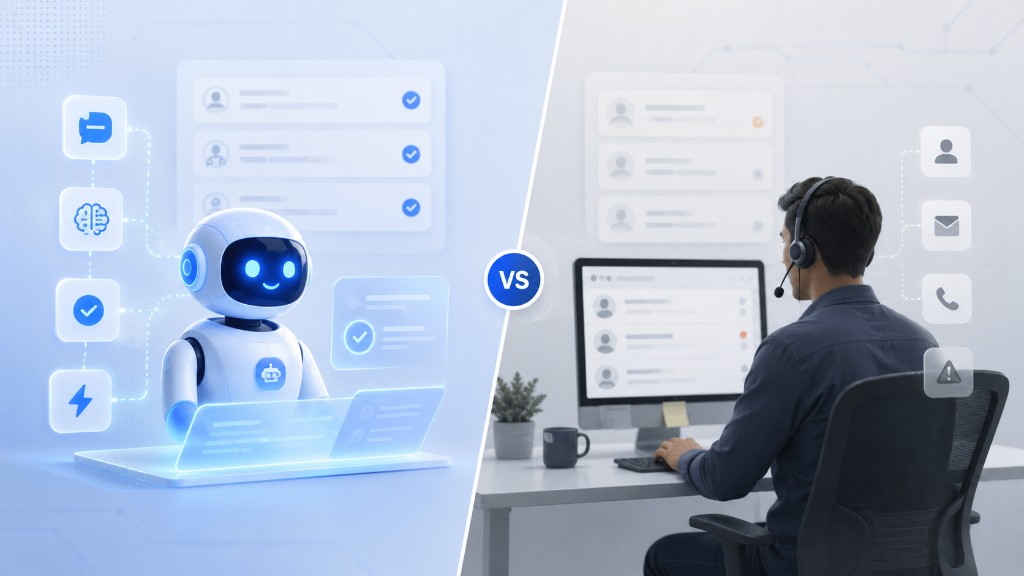
Managed service providers have relied on ticketing systems for years. These tools help teams capture requests, assign work, track status, and document support activity. They are still useful. But for many MSPs, traditional ticketing is no longer enough.
Clients expect faster responses. Users want support from the channels they already use. Technicians need better context before troubleshooting starts. MSP owners also want to grow without adding support headcount at the same pace.
This is why many MSPs are now looking at AI service desks. An AI service desk is not just a new way to create tickets. It is a smarter support workflow. It can help collect user context, classify requests, support triage, surface diagnostics, and guide the next action.
For MSPs, this shift matters. The future of service delivery is not only about managing tickets. It is about resolving issues faster, with better context and less manual effort.
This article explains why MSPs are moving from traditional ticketing to AI service desks. It also explains what this shift means for support teams, technicians, and MSP leaders.
For a deeper overview, read: The Complete Guide to AI Service Desk for MSPs.
What Traditional Ticketing Does Well
Traditional ticketing systems solve an important problem. They create a central place for support requests. They help MSPs track who asked for help, what issue was reported, and who owns the work.
They also help teams follow up with users. They create a record of the support process. For MSPs, this record is important because it supports reporting, accountability, and client communication.
Ticketing also helps service managers understand workload. It shows how many requests are open, where tickets are delayed, and which clients need attention.
This is why ticketing remains a core part of IT support. The challenge is not that ticketing is useless. The challenge is that ticketing often stops too early. It records the request, but it does not always help the team understand the real issue.
Where Traditional Ticketing Starts to Fall Short
Many MSP tickets begin with limited information. A user may write, “My laptop is slow.” Another user may say, “The internet is not working.” Someone else may report, “I cannot access my account.”
These messages are common, but they are incomplete. A technician still needs to ask follow up questions. They may need to check device health, network status, recent errors, or past tickets.
This takes time. It also creates back and forth between the user and the technician. In many MSP environments, the information needed to resolve a ticket lives in different tools.
The ticket may be in one system. Device data may be in another system. Chat history may be in Teams or Slack. Remote access may be separate. Documentation may live in another platform. Automation scripts may be stored somewhere else.
This tool switching slows down support. It also increases the chance that important context gets missed. Traditional ticketing helps manage the queue, but it often does not reduce the work needed to understand each issue.
What Is an AI Service Desk?
An AI service desk is a support platform that uses artificial intelligence to improve how IT issues are received, understood, routed, and resolved.
For MSPs, it can support many parts of the service workflow. It can help collect better information from users. It can summarize tickets, classify issues, suggest priority, route requests, search knowledge, and assist technicians with next steps.
It can also connect the support request with diagnostics and automation. This does not mean AI replaces the technician. It means AI helps the technician start with better information.
A traditional ticketing system may store the message. An AI service desk helps make the message actionable. That difference is important. MSPs do not only need a place to track work. They need a better way to move from request to resolution.
Why MSPs Are Rethinking the Service Desk
MSPs are not moving toward AI service desks just because AI is popular. They are doing it because daily support work is changing.
Clients are more distributed. Users work from offices, homes, and remote locations. Devices are spread across many networks. Applications are more cloud based. Security and compliance needs are also higher.
Support teams are expected to respond quickly across many channels. At the same time, many MSPs face margin pressure. Hiring more technicians is not always the best answer. It can be expensive, and skilled staff can be hard to find.
This creates a clear need. MSPs need support workflows that help each technician handle more work without lowering service quality.
AI service desks are becoming attractive because they can reduce repetitive manual steps. They can help with intake, reduce back and forth, surface context faster, and support safe automation. They can also help newer technicians follow better troubleshooting paths.
The Shift From Ticket Management to Issue Resolution
Traditional ticketing focuses on managing the ticket. An AI service desk focuses more on resolving the issue.
Ticket management asks who owns the ticket, what the status is, what the priority is, and when it was last updated. These questions are useful, but they are not the full picture.
Issue resolution asks what the user is trying to fix, what is happening on the device, what context is missing, what the likely cause is, and what should happen next.
Both views matter. But MSPs create value when issues are resolved. Clients do not care only that a ticket exists. They care that the user can work again.
This is why AI service desks are becoming important. They help bring more context into the workflow earlier. That helps support teams move from tracking work to solving work.
How AI Improves Ticket Intake
Ticket intake is one of the first areas where AI can help. Many users do not know how to describe a technical issue clearly. They may only know the symptom.
AI can ask simple follow up questions during intake. If a user says the internet is not working, AI can ask whether other websites load. It can ask whether the issue affects one device or many devices. It can also ask when the issue started.
For a slow laptop issue, AI can ask whether one application is slow or the whole device is slow. It can ask whether the issue started after an update. It can ask whether the device was recently restarted.
This does not need to feel complex. Good AI intake should feel simple for the user. It should collect useful context without making the user feel interrogated.
Better intake means technicians start with fewer missing details. It also makes the support experience feel more organized for the client.
How AI Helps With Triage and Routing
Triage is another area where AI can help MSPs. In many teams, dispatchers or senior technicians review incoming tickets. They decide the category, priority, and owner.
This can take time. It can also vary by person. AI can support this process by reading the request and suggesting a classification.
It may identify a ticket as a network issue, access request, device problem, or software issue. It may suggest a priority based on user impact. It may also route the request to the correct queue.
Human review is still important. But AI can make triage faster and more consistent. This is useful for MSPs with many clients and many daily tickets. It also helps when tickets arrive outside normal working hours.
Why Endpoint Diagnostics Are Becoming Essential
One of the biggest gaps in traditional ticketing is the lack of real technical context. A ticket may describe the symptom, but the endpoint often shows the cause.
A slow laptop may have high CPU usage, low memory, a full disk, battery problems, recent application errors, or a failed update. A network issue may be related to weak WiFi, DNS problems, VPN issues, or local device health.
Without diagnostics, the technician starts with guesswork. With diagnostics, the technician starts with evidence.
This is where NetZen AI takes a clear position. NetZen connects every support request with real endpoint diagnostics, so technicians start with answers, not guesswork.
That means the service desk is not just collecting the user message. It is also helping collect technical signals that support faster resolution.
How AI Service Desks Reduce Back and Forth
Back and forth is one of the hidden costs of IT support. A user submits a ticket. The technician asks for details. The user replies later. The technician checks another tool. Then another question may be needed.
This cycle delays resolution. It also frustrates users and technicians.
AI service desks can reduce this cycle in two ways. First, they can collect better information at the start. Second, they can connect the ticket with relevant technical context.
This does not remove every follow up question. Some issues still need human investigation. But it can remove many basic questions. That saves time and helps technicians focus on higher value troubleshooting.
How AI Supports Self Service Without Losing Control
Self service can be useful when it is done carefully. Some issues do not require a technician every time. A user may need to restart an application, reconnect to WiFi, clear temporary files, or follow a simple known fix.
AI can guide users through basic steps. This can reduce simple tickets and improve the user experience.
But self service should not be uncontrolled. MSPs need guardrails. The system should know which steps are safe and when to involve a technician.
It should record what was suggested. It should also avoid risky actions without approval. A good AI service desk supports self service while keeping the MSP in control.
How Automation Changes the Service Desk Workflow
Automation is another reason MSPs are moving beyond traditional ticketing. Many support tasks are repeated again and again.
Technicians may collect logs, run basic checks, restart services, clear temporary files, run connectivity tests, or apply known fixes.
When these steps are manual, they take technician time. When they are automated safely, they can happen faster.
Automation works best when it is connected to context. The system should understand the ticket, check relevant diagnostics, and suggest or run the right action.
For important actions, approval should be required. This is especially important for MSPs because they manage client environments. Speed matters, but control also matters.
What MSP Leaders Should Look For
MSP leaders should look beyond the word AI. Many tools now include AI features. Not every AI feature creates operational value.
A useful AI service desk should improve real support outcomes. It should help users submit better requests. It should help technicians get better context. It should support safe automation. It should integrate with existing tools.
It should also make work easier, not more complex. If technicians do not trust the workflow, they will not use it.
Controls are also important. AI suggestions should be reviewable. Automation should be approved where needed. Actions should be logged. Permissions should be clear.
Security and trust matter because MSPs manage client systems. The NIST AI Risk Management Framework is a useful reference for organizations thinking about AI risk and trust.
MSPs do not need to become AI researchers. But they do need practical governance.
How NetZen AI Fits This Shift
NetZen AI is building an AI IT platform for MSPs. It connects ticket intake, endpoint diagnostics, and automation in one platform.
The goal is to help MSPs move from ticket management to intelligent issue resolution.
When a support request comes in, NetZen helps collect user context and technical context. For technical issues, it connects the request with endpoint diagnostics.
Technicians can see the issue, device health, network signals, and suggested next steps together. For common issues, NetZen can also support self service or approved automation.
This helps reduce back and forth. It also helps technicians resolve issues faster.
Learn more about the NetZen AI platform here: NetZen AI Platform
Learn more about the company here: About NetZen AI
For a deeper overview, read: The Complete Guide to AI Service Desk for MSPs.
How MSPs Can Start Preparing
MSPs do not need to change everything at once. A practical path works better.
Start by reviewing the most common support requests. Look for slow devices, access issues, software problems, and network issues. These are often good places to improve intake and diagnostics.
Next, review tickets where technicians had to ask basic questions. Find the context that was missing. This may include user details, device health, or recent changes.
Then choose safe automation areas. Begin with low risk actions, such as running diagnostics, collecting logs, and checking device health. Use approval for higher impact actions.
Technicians should also be involved early. Ask them where AI can save time. Ask where automation would help. Ask where context is missing today.
Finally, measure the right outcomes. Do not measure only ticket count. Measure response time, resolution time, reopen rate, self service success, and technician workload.
Common Mistakes MSPs Should Avoid
AI service desk adoption can fail if expectations are unclear. MSPs should avoid treating AI as a shortcut for a broken process.
They should also avoid focusing only on chat. Chat can help users submit tickets, but MSPs also need diagnostics, triage, automation, and technician support.
Another mistake is automating too much too soon. Automation should begin with safe and repeatable actions. Higher risk actions should require approval.
MSPs should also avoid ignoring endpoint context. A ticket without device context can still leave technicians guessing.
Finally, MSPs should not skip governance. AI should be reviewable and controlled. MSPs need clear permissions, logs, and approval rules.
FAQ: AI Service Desk vs Traditional Ticketing for MSPs
What is an AI service desk for MSPs?
An AI service desk for MSPs uses AI to help manage, understand, route, and resolve IT support requests.
Why are MSPs moving from traditional ticketing to AI service desks?
MSPs want faster resolution, better context, less back and forth, and more efficient technician workflows.
Does an AI service desk replace a ticketing tool?
It can replace or extend ticketing, depending on the platform. The main value is improving the full support workflow.
Is an AI service desk the same as a chatbot?
No. A chatbot mainly handles conversation. An AI service desk supports intake, triage, diagnostics, automation, and resolution.
Why do endpoint diagnostics matter?
Endpoint diagnostics help technicians see what is happening on the user device or network. This reduces guesswork.
Can AI service desks help small MSPs?
Yes. Small MSPs can use AI service desks to improve support without adding headcount at the same pace.
Should AI service desks include human approval?
Yes. Important actions should include approval, logging, and clear permissions.
What should MSPs measure after adopting an AI service desk?
MSPs should measure response time, resolution time, reopen rate, self service success, and technician workload.
Conclusion
MSPs are moving from traditional ticketing to AI service desks because support work is becoming more complex.
Traditional ticketing helps teams organize work. But MSPs now need more than organized queues.
They need better context, faster triage, safer automation, and stronger technician workflows.
An AI service desk can help make this possible. It can collect user context, surface endpoint diagnostics, guide next steps, and support approved automation.
For MSPs, this shift is not only about using AI. It is about improving how support issues are understood and resolved.
NetZen AI is built around that shift. It helps MSPs move from ticket management to intelligent issue resolution.
Ready to see how an AI service desk can help your MSP? Start a 30-day free trial.