The AI service desk that is also your RMM and PSA.
“NetZen is a great fit for MSPs with help desk teams. It can help technicians solve L1 and L2 issues faster, and the team is very responsive to customer feedback.”
AI security and governance
Is it safe to let AI answer your clients’ tickets?
- Ask for a person, any time
- An employee can ask for a technician whenever they like, and the AI hands the ticket over.
- Read-only cloud checks
- Microsoft 365 and Google Workspace checks on a ticket read; they never change an account.
- Per-client knowledge
- Knowledge and actions follow the client’s scope; another client’s knowledge is not used.
- Enterprise-grade AI, not a public AI
- Enterprise-grade AI runs the ticket, not a public AI with data privacy risks. Vertex AI runs the models, on Google Cloud in the US.
AI is your tier 1 support
It takes every ticket first, on the channels your clients already use, and resolves what it can. When it can’t, a technician gets the ticket with the full context.
- Answers from your knowledge base, scoped to each client
- Collects device health, logs and the user’s details before anyone asks
- Runs only the automations you approved, with the approver you chose
- Works in Teams, Slack, Google Chat, email, web chat and phone
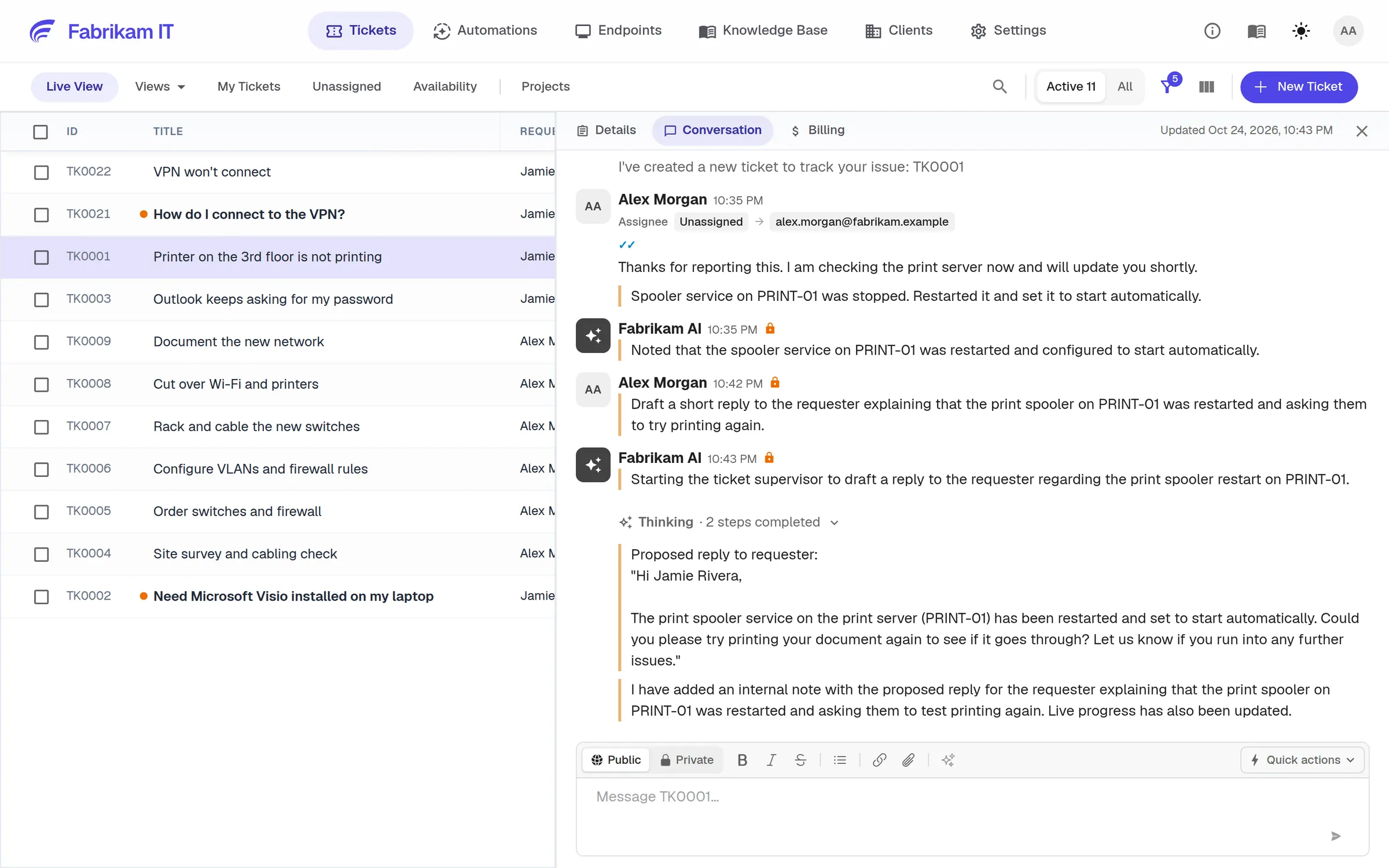
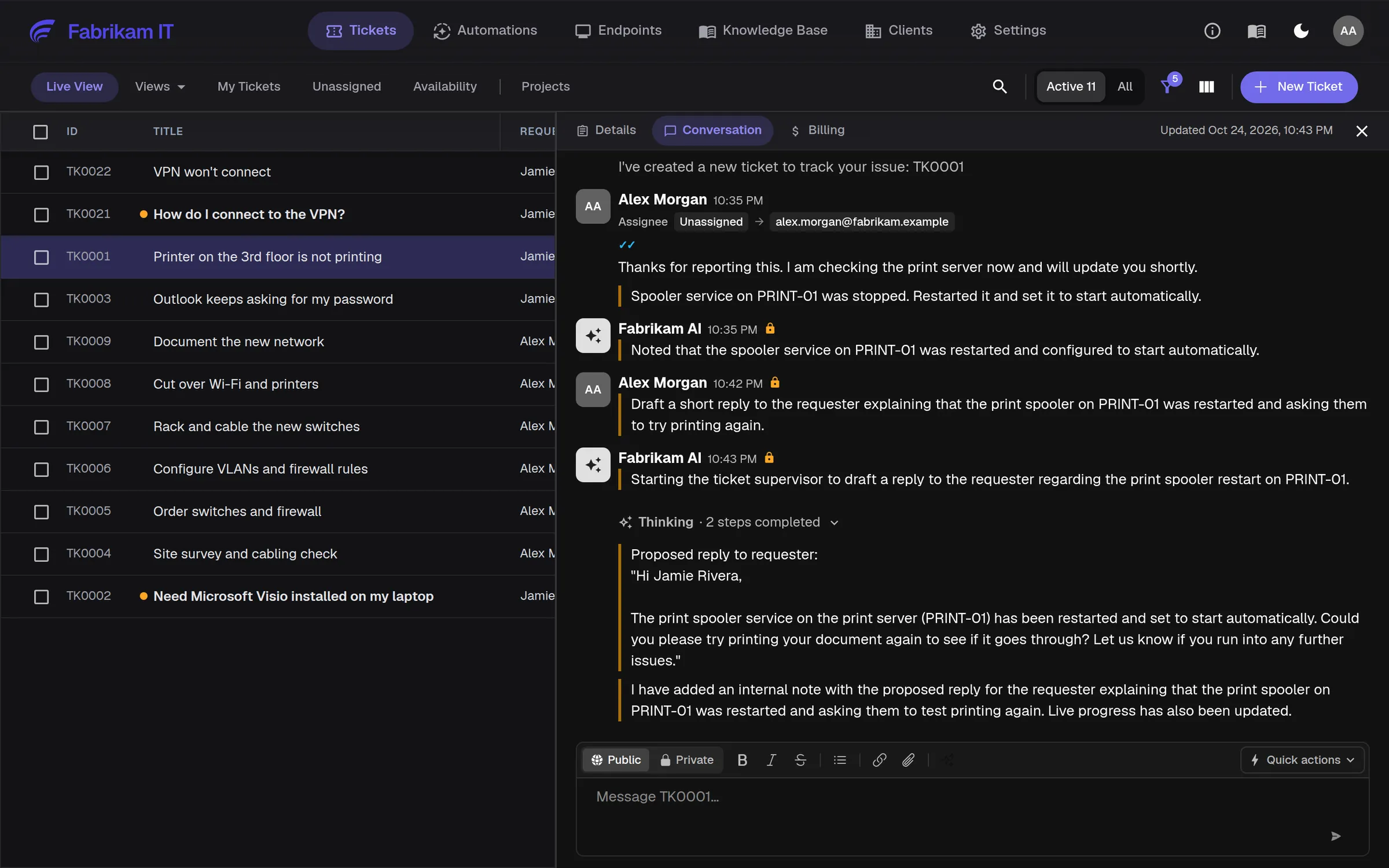
What does the AI hand over?
“It hands the ticket to us and says, here are the details, here are the logs, now you can dive into it, rather than spending 30 minutes to an hour trying to find out what is actually happening.”
It checks the machine and runs the fix you allow
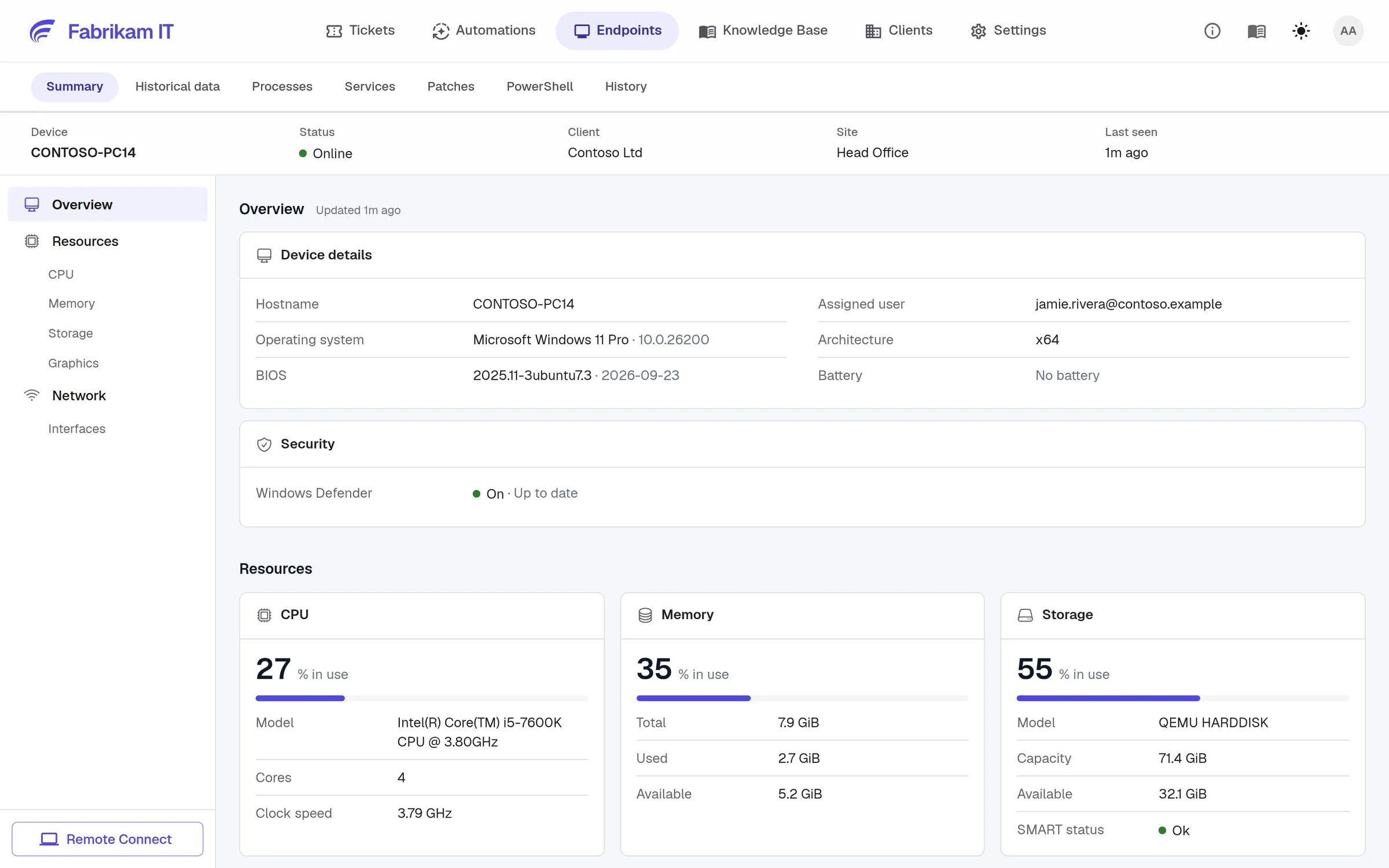
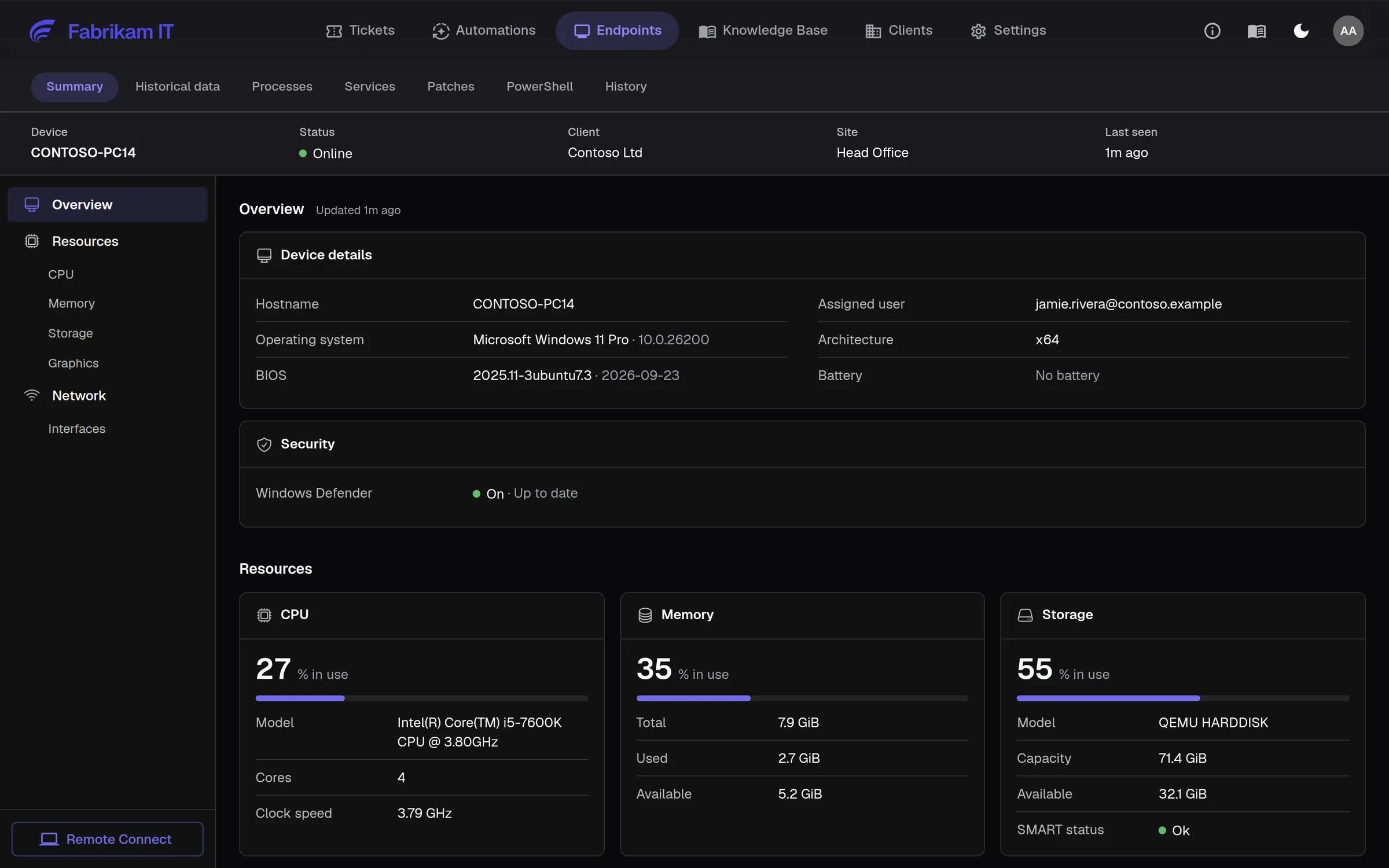
The RMM is the same platform, so the AI reads the device as soon as the request arrives and runs the fixes you approve.
- Device health, apps and patch status on the ticket
- Windows, Mac and Linux
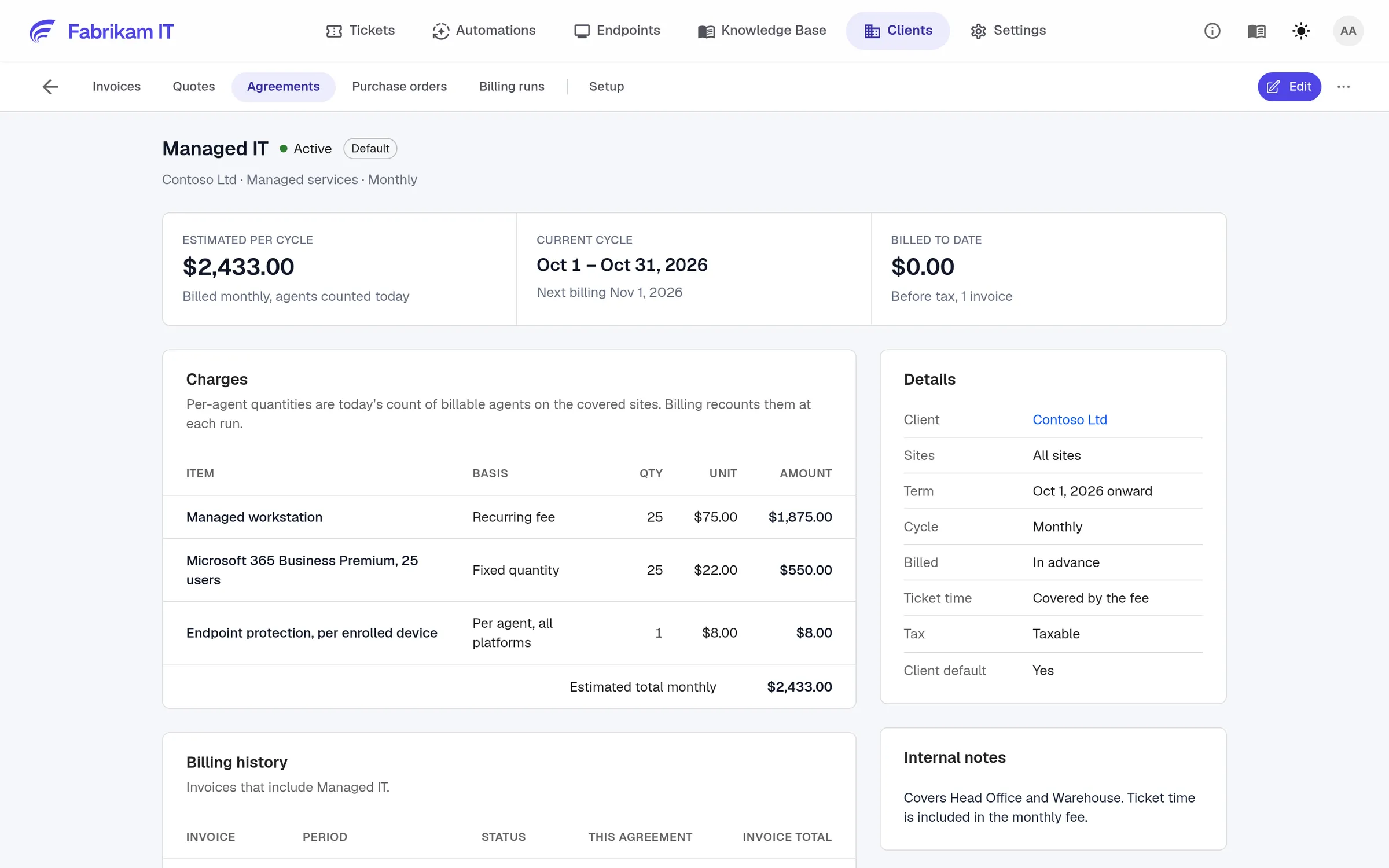
The time is on the invoice before the ticket closes
Logged time, agreements and rates live beside the ticket, so what the desk did becomes what the client pays for.
- Managed services, blocks of hours and projects
- Quotes a client accepts from a link
- Invoices out, payment status back
What is included
Start with one client and the AI on triage and device checks. Turn on fixes once you have watched it work.
SLAs
Response and resolution targets per priority, with at-risk tickets in view.
Client portal
Tickets, approvals and invoices under your brand.
Projects and quotes
Tasks that are ordinary tickets; a yes that becomes an invoice.
Questions
It can misread a request or pick the wrong procedure. You see that on the ticket, and a technician can take over at any point.
Switch an automation or a whole pack off for a client and the AI stops proposing it; it goes back to collecting details and handing over. A change on a device or an account follows the approval path you set.
Change a device or an account outside the approval path you set. Run anything outside the automations you enabled. Help people you have not added or synced; they reach your team. Pretend to be a person: employees see your name followed by AI.
Yes. Tickets, SLAs, time, agreements, quotes, projects and invoices are built in, with QuickBooks Online or Xero for accounting.
Your organization name followed by AI, on the channels you connect per client: Teams, email, Google Chat, Slack, web chat, phone and the client portal. Approvals arrive on the ticket, in the portal or by email.
One price per technician a month, with end users, clients and devices included. The trial is free for 30 days with no card.