Guide
PSA vs RMM: What Each Does for an MSP, and Do You Need Both?
NetZen AI
Updated
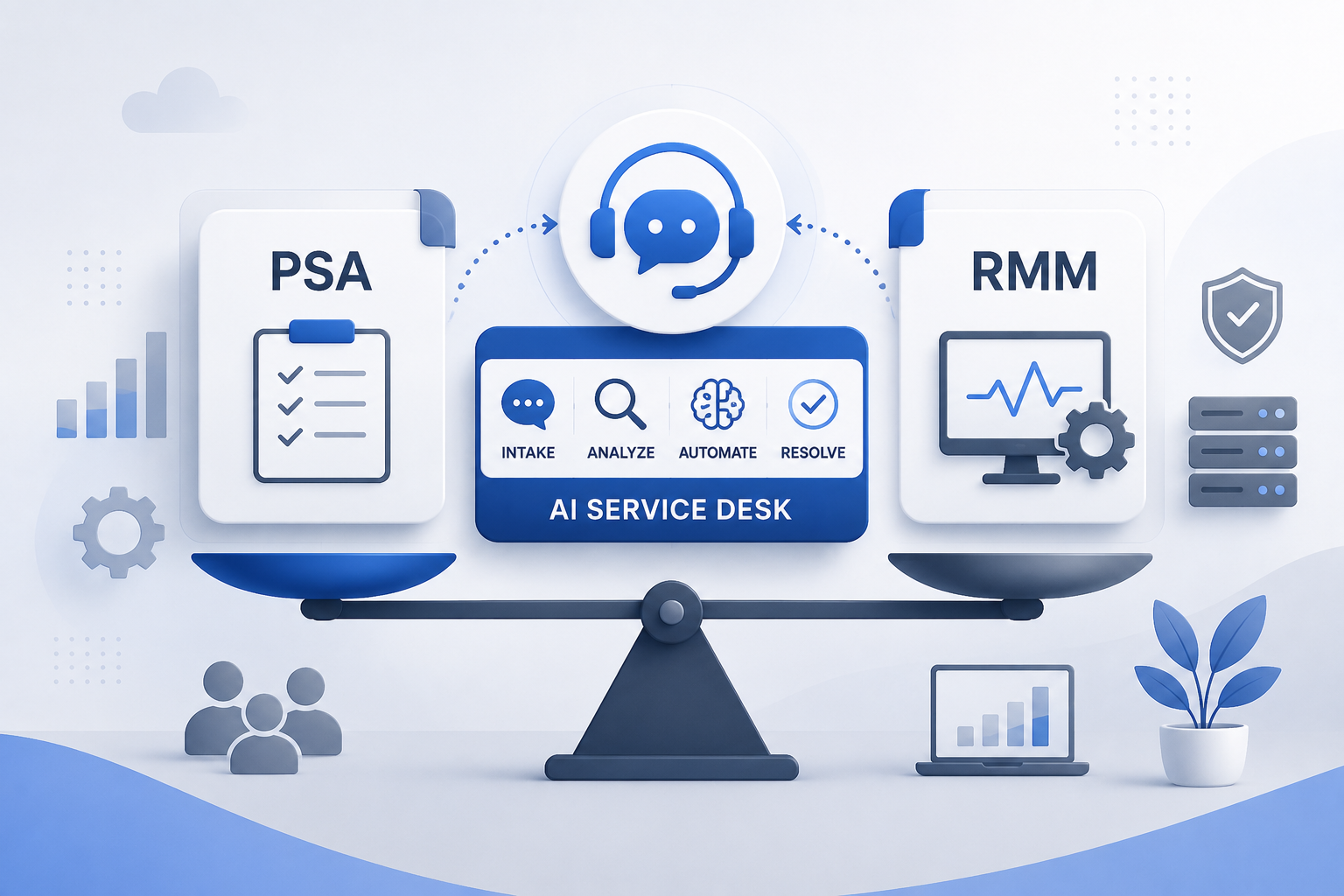
The short answer. A PSA (professional services automation) runs the business side of an MSP: tickets, client agreements, time, projects and billing. An RMM (remote monitoring and management) runs the technical side: it watches client devices, patches them, runs scripts and opens remote sessions. The PSA tells you who owns the work and what to bill. The RMM tells you what is happening on the device.
When an MSP uses separate PSA and RMM tools, the ticket lives in one tool and the device lives in the other. This guide covers what each does, how they connect, when one platform should do both, and where AI now fits.
What does PSA stand for, and what does it do?
PSA stands for professional services automation. MSPs use it to run a managed service as a business. The usual jobs:
- Tickets and the service board: intake, priority, assignment and SLA timers.
- Agreements: what each client pays for, monthly or by block of hours.
- Time entries against tickets and projects.
- Quotes, projects and purchase orders.
- Invoicing, usually exported to the accounting system.
- Reporting: technician utilization, SLA performance and profit per client.
A PSA's core record is the ticket, not the device. Unless it is connected to device data, it knows a user reported a slow laptop but not why the laptop is slow.
What does RMM stand for, and what does it do?
RMM stands for remote monitoring and management. An agent installed on each managed device reports to a central console, and technicians act through it. The usual jobs:
- Monitoring and alerts: disk space, services, offline devices.
- Patching the operating system and third-party apps on a schedule.
- Scripts and automation across many devices at once.
- Remote access sessions.
- Inventory of hardware and installed software.
An RMM's core record is the device. Unless it is connected to agreements and time, it can raise an alert but cannot tell which agreement covers the device or how the technician's time gets billed.
Some products now cover both jobs, so read PSA and RMM as two sets of responsibilities rather than two product boxes.
PSA vs RMM side by side
| PSA | RMM | |
|---|---|---|
| Stands for | Professional services automation | Remote monitoring and management |
| Question it answers | Who owns this work, and what do we bill for it? | What is happening on this device, and what can we run on it? |
| Main record | The ticket and the client agreement | The managed device |
| Used most by | Service managers, dispatchers, owners and finance | Technicians and the NOC |
| Typical day | Triage the board, log time, watch SLAs, send invoices | Clear alerts, patch, run scripts, open remote sessions |
| Needs from the other side | Device data, to see why the ticket happened | Agreements and time, to bill the work |
How PSA and RMM work together
On a normal day the two tools pass one issue back and forth:
- An RMM alert or a user's email becomes a ticket in the PSA.
- The technician opens the device in the RMM to find the cause.
- The fix runs from the RMM: a script, a patch or a remote session.
- The time and the outcome go back on the PSA ticket.
- The client's agreement decides whether that time is billable.
When the PSA and the RMM are separate products, an integration keeps clients, devices and alerts in step between them. Common failure points at that link: duplicate tickets from noisy alerts, devices mapped to the wrong client, and technicians copying notes from one screen to the other.
Do you need both? Separate tools or one platform
Two separate tools can make sense when:
- You run a mature PSA with years of history and custom workflows you depend on.
- Someone on your team owns the stack and keeps the integration healthy.
- You rely on a specialist RMM feature the combined options lack.
One platform that does both usually makes more sense when:
- You would rather not run and maintain an integration between two systems.
- You want one client list and one place where technicians work the ticket and the device.
- You keep fixing mismatched clients or duplicate alert tickets.
Do you need a separate PSA if your RMM has ticketing? Ticketing alone covers the ticket. Check whether it also covers agreements, time entries, quotes, projects and invoicing. If you bill by contract or by the hour and those are missing, you still need the PSA side. New MSPs choosing their first system can read the first-purchase guide for new MSPs.
Where an AI service desk fits
In a classic PSA and RMM setup, the ticket says what the user noticed and the device data shows what the machine is doing. A technician connects the two by hand.
An AI service desk works across both. It reads the ticket, checks the device through the agent, proposes a fix, follows the approval rule you set and records the result on the ticket. The technician starts from findings instead of a bare alert. For the longer version, read what an AI service desk does for an MSP.
How NetZen handles PSA and RMM
NetZen is one platform for all three jobs:
- Service desk and PSA: tickets, SLAs, agreements, quotes, projects, purchase orders, time and invoicing, exported to QuickBooks Online or Xero.
- RMM: monitoring, patching for Windows, macOS and Linux, scripts and Remote Connect sessions.
- AI and automations: the AI investigates a ticket on the device and proposes a fix. Fixes started from a ticket follow the approver you set for that automation, and every run is logged.
Pricing is per technician, not per device: US$100 per technician a month, with devices, clients and end users not billed.
Questions to ask before you choose
- Where does a device alert become a ticket, and what stops duplicates?
- Can a technician see the device from the ticket without switching tools?
- How is time logged against an agreement, and how does it reach the invoice?
- Who can run a script on a client device, and who approves it?
- What does it cost when you add devices, clients or technicians?
FAQ
What does PSA mean for an MSP?
PSA stands for professional services automation. It is the system an MSP uses to run the business: tickets, client agreements, time entries, quotes, projects and invoicing.
What does RMM mean for an MSP?
RMM stands for remote monitoring and management. An agent on each client device reports to a console, so technicians can monitor, patch, run scripts and connect remotely.
What is the difference between PSA and RMM?
The PSA manages the work and the money: who owns a ticket and what gets billed. The RMM manages the devices: what is happening on them and what runs on them.
Is RMM part of PSA?
No. They are separate categories that are often sold as separate products and connected by an integration. Some platforms, NetZen among them, include both.
Do I need a separate PSA if my RMM has ticketing?
Only if the ticketing stops at the ticket. If you bill by agreement or by the hour, check for agreements, time entries, quotes, projects and invoicing before dropping the PSA.
Can one platform replace both PSA and RMM?
Yes. NetZen includes the PSA (tickets, agreements, quotes, projects, time and invoicing), the RMM (monitoring, patching, scripts and remote sessions) and AI that investigates tickets on the device.
See the PSA, the RMM and the AI working on one ticket: start a 30-day free trial.